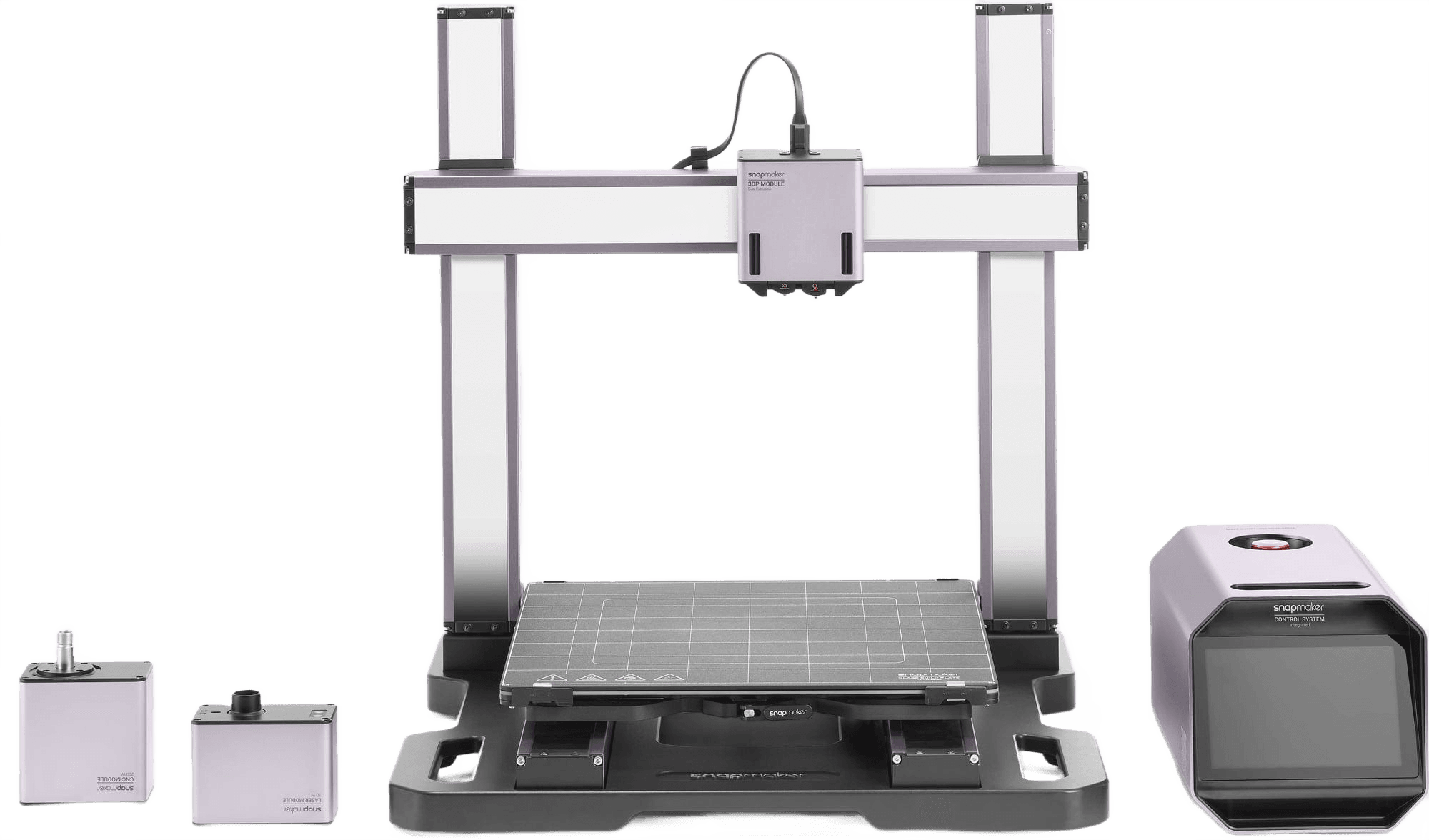
Snapmaker Artisan
Top ratedFDM

Snapmaker Artisan

The Snapmaker Artisan is widely praised for its versatile 3-in-1 functionality, robust build, and large build volume, making it suitable for hobbyists and professionals seeking an all-in-one solution

Community scoreScore
48/100
Amazon reviews
5.0/5
1 reviews
Mentions
31
Build volumeBuild volume
350 × 400 × 400 mm³ (Dual NozzleMode)

Reddit Sentiment

33%
positive
3
1
5

Suitable for

Based on community experience

Hobbyists and professionals
Users with limited space needing multiple functions
Enthusiasts and advanced makers

Reddit Sentiment

33%
positive
3
1
5

In its favour

Based on YouTube reviews & Reddit discussions

Against it

Based on YouTube reviews & Reddit discussions

Suitable for

Based on community experience

Hobbyists and professionals
Users with limited space needing multiple functions
Enthusiasts and advanced makers

Voices from the community

Real reviews from 3D printing enthusiasts across Reddit and YouTube.

Last refreshed 11h ago

Showing 5 of 31 reviews from Reddit + YouTube

Redditr/3Dprinting·Bright-Corner-8125·Mar 2026
Positive

SnapMaker Artisan - why did it not take off?

I think it's the lacking software and lack of premade profiles that makes people complain about the machine. Many users blame the machine when they don't have knowledge or patience for creating profiles for filaments, materials and tools. Bambu seemingly has more polished experience for non technical users. The noise and dust from cnc and huge amount of smoke from laser make those functions unusable for many. The H2D laser likely has same issue. That said I like mine. I have enough interest and patience to learn all functions, not enough space to have 3 separate machines and not trying to do profit with it.

YouTubeYouTube·Flexyy flow
Positive

Snapmaker Artisan 3D Printer Review | Dual Extrusion & 400×400×400mm Large Build | Industrial-Grade

The Snapmaker Artisan is presented as a professional-grade 3D printer with a robust all-metal frame, industrial-grade linear rails, and a large 400x400x400mm build volume. It features dual extrusion, auto bed leveling, and an intuitive touchscreen, making it versatile and user-friendly for high-quality prints.

Redditr/snapmaker·Maleficent_Purple438·Jun 2026
Negative

Artisan Review (Focusing on 3D Printing)

The bed mesh levelling is just a joke. Even after heat-soaking the machine for an hour or so, first layers are far from perfect for larger prints. With the magnetic bed its a nightmare. Now for the bad sides: - Its slooow. But that's OK, if you can live with waiting for days until large prints are done. And no need to fear long prints: Its reliable if you know its limitations! In addition always give it at least 30 min of heat soaking (bed mesh...). I don't use it at all anymore for small prints. But I have the luxury of having several vorons at hand. - I still spend a lot of time for constant re-calibration. The bed mesh levelling is just a joke. Even after heat-soaking the machine for an hour or so, first layers are far from perfect for larger prints. I still need to print tons of bed levelling grids and need to tweak Z-offset manually a lot to find some compromises between too much or too little squish. I might be spoiled by the fully automated, fast and super accurate eddy-current meshing on my vorons. But the Artisan is supposed to be a premium machine. - The function to only be able to heat the inner bed section is useless unless if you only print PLA. There is still no dedicated bed mesh levelling sequence for the inner section only. The bed mesh is always generated with the full bed heated. And the bed mesh just doesn't match the bed warping when only the inner section is heated. If you only use low bed temps (PLA) its not too bad. Already at 80° the first layer gets pretty bumpy. At 110° the mesh is just totally off (bed mesh calibration is limited to 80° on the full bed...). With the glass bed its a bit less bad. With the magnetic bed its a nightmare. This could be easily solved by just generating a dedicated inner zone only bed mesh. Bad luck, there is no such function and I didn't find a manageable work-around (yes one could probe manually, extract values with pronterface and manually create a mesh but I'm too old for that...) - Forget about printing ASA or ABS. The smaller bed section that is advertised to reach 110° cannot be used at all with spring steel sheets. The bed / spring steel warps so much due to the heat gradient that the spring steel sheet peels off at the corner leading to a 100% fail rate. I counter that by using a smaller sheet that only covers the inner zone. But then there is still the warping of the magnetic base itself and the "bad" mesh problem... With glass you can get it to work somehow. But first layer results are mediocre and you'll only be able to print parts far smaller than the inner zone. - Bed temperatures are not as advertised and as suggested by the settings. I measured around 10-15°C less actual temperature of the bed compared to the setting (e.g. 80° set, 70° measured). There is also quite some gradient towards the edges. So be prepared for some warping for larger prints. - Its closed source and documentation is scarce. Snapmaker has implemented quite a few custom gcode commands (for example for the two heat zones of the bed) and only allows limited macro programming in ORCA due to not all Klipper gcode commands being implemented correctly (for example M600 pause command for filament change doesn't work). I found this out only after endless forum searches and there are still a lot of things I couldn't fully understand. Usability is unfortunately limited due to that. The machine is for example totally limited to two filament types. I found no way to swap filaments mid-print except cutting it and letting the filament run-out sensor trigger. - Manual heat soaking before bed mesh levelling or before printing is a pain in the a***. You need to manually browse through the menu and set a bed temp. Then you can't navigate the GUI at all. As soon as you leave the menu it switches off the heating (for example to start the bed mesh levelling, check the manual Z-Offser, start a print,...). So you constantly rush through the menus back and forth switching it on again to avoid it cooling down. - The glass bed works but why the hell have they added these white lines that leave marks on the print? For some prints its nice to have a glossy underside. At least the grid marks will always remind you which printer this was printed on... I have made myself my own mirror and borosilicate plates to counter that. But thats costly and labor intensive...

Positive

Best 3-in-1 3D Printers 2026 — Print, Laser & CNC in One Machine

The Snapmaker Artisan is recommended as the best overall 3-in-1 machine for serious hobby shops or small workshops, offering a large work area, dual extrusion, and robust modules. It provides a polished, easy-to-use, deluxe all-in-one experience.

Redditr/3dprinter·Immortal_Tuttle·Mar 2026
Neutral

Prusa vs. Bambu

Actually I was working with other Snapmaker systems and Artisan, if finicky, will get you some results. U1 is totally different beast. Like either they learned their lessons or they hired someone capable. It's like day and night. As for the first month comment - I have my U1 since November. Since then it's almost 24/7 busy with projects that don't make sense on multiplexing printers. I have over 200k tool changes, pushed it to 30k just to see if I can and it still prints better than my H2C. And in half the time. As for undelivering quality - regular U1s from the store look identical. So you have X1C hotend with proximity strain gauge, Moons motors and overpowered SBC with TMC 2240s and one TMC 2209 for X axis. There are some loose removable panels, some zip-ties with uncut ends but... That's it. Believe me - that was exactly my approach as well. What could Snapmaker make that Bambulab, Prusa and others didn't? I was shocked after first multilateral prints. It's now my primary printer for PVA supported thin TPU prints or mixed color ASA or ABS. It just works.

Showing 5 of 31 reviews

Specifications

Build volume350 × 400 × 400 mm³ (Dual Nozzle Mode)
Kinematics / Motion SystemCartesian-XZ-head motion system with heavy-duty linear modules, featuring TMC2209 motor drivers and a rigid aluminum alloy frame
Max Print Speed180 mm/s
Max AccelerationNot specified
Lowest today$2092.09Amazon