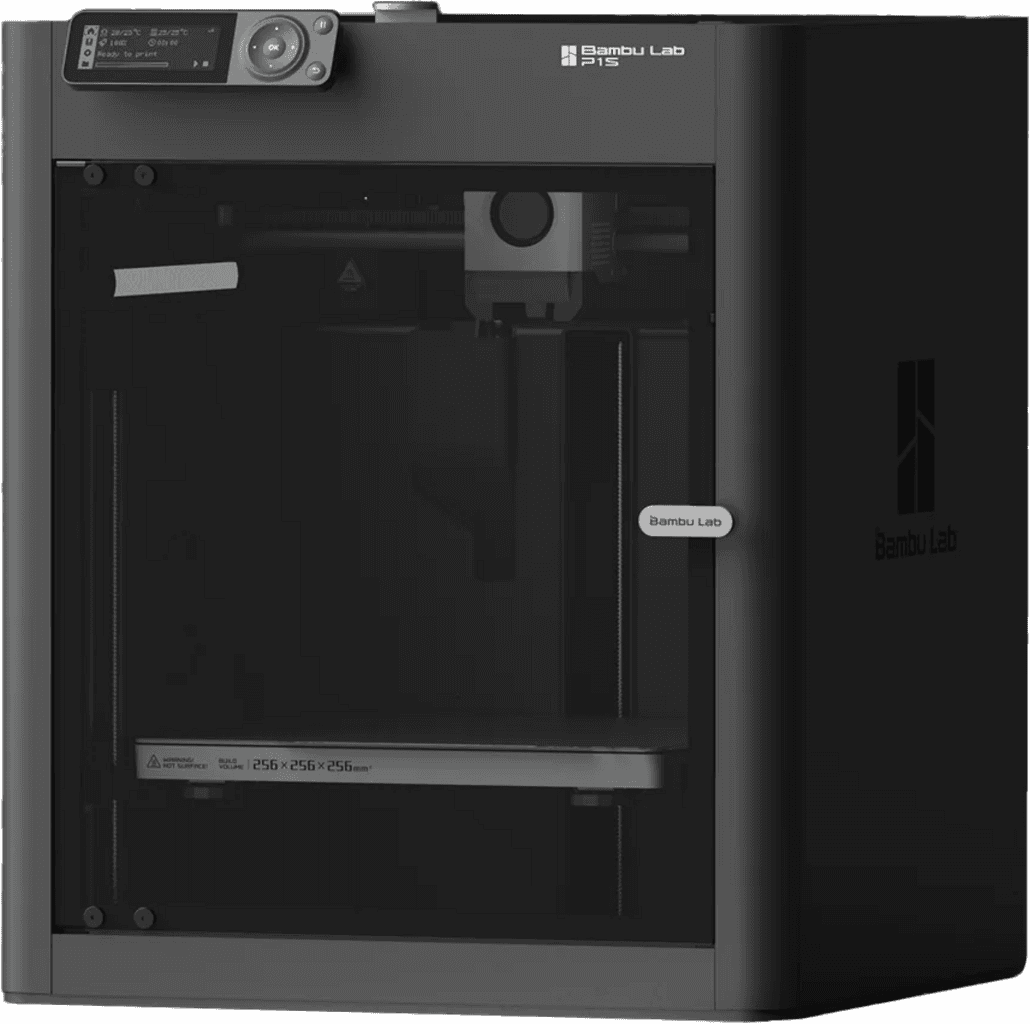
Bambu Lab P1S
Top ratedTrendingFDM

Bambu Lab P1S

The Bambu Lab P1S is widely praised for its excellent print quality, high reliability, and exceptional ease of use, making it a strong choice for users who prioritize printing over tinkering

Community scoreScore
89/100
Amazon reviews
4.4/5
372 reviews
Mentions
899
Build volumeBuild volume
256 × 256 × 256mm³

Reddit Sentiment

75%
positive
610
71
127

Suitable for

Based on community experience

Beginners
Users who want to print with minimal fuss
Hobbyists focused on printing, not tinkering

Reddit Sentiment

75%
positive
610
71
127

In its favour

Based on YouTube reviews & Reddit discussions

Against it

Based on YouTube reviews & Reddit discussions

Suitable for

Based on community experience

Beginners
Users who want to print with minimal fuss
Hobbyists focused on printing, not tinkering

Voices from the community

Real reviews from 3D printing enthusiasts across Reddit and YouTube.

Last refreshed 1d ago

Showing 5 of 899 reviews from Reddit + YouTube

Redditr/3Dprinting·toolschism·Nov 2025
Positive

Getting Back Into 3D Printing: Torn Between Prusa (C1L/INDX) and Bambu P1S BF Deal. Looking for Advice.

Personally, as much as I love the technology behind the INDX system, it seems like overkill for someone who's just getting back into the hobby and may or may not have other obligations that will consume your free time. I own a P1S. It was my first printer after years of hating myself with my wanhao i3 duplicator. This machine has been absolutely amazing. I don't really care about multicolor prints but I can print them if I need to with the ams. I use mine primarily for functional prints and cosplay props and it just works. IMO, I think the core one with INDX is the better printer, but the p1s is still king for the best bang for your buck printer on the market and you won't regret buying it or the p2s.

YouTubeYouTube·Genius Picks
Positive

6 Best Multicolor 3D Printers of 2026 - Don't Buy one Before Watching this!

The Bambu Lab P1S is a fully enclosed CoreXY printer offering 500 mm/s speeds and four-color automatic switching via AMS, making it suitable for demanding materials with a mature software ecosystem.

Redditr/3dprinter·Daj00tje·Jul 2026
Negative

Set up options for 3D printing

I would not put a printer outside. They're not made for it and will break sooner than you'd like. You can also try to build a cabinet with some cooling, to prevent your cat getting to it. There's plenty of options for air filtration if you print engineering filaments. Fumes of regular petg and pla will not be a problem inside. Also, the p1s is discontinued. I would not buy bambu anyways, due to their shitty practices, but the p1s is maybe the worst choice. When something inevitably breaks, it will be hard to repair.

YouTubeYouTube·Genius Picks
Positive

6 Best Multicolor 3D Printers of 2026 - Don't Buy one Before Watching this!

The Bambu Lab P1S combo is a value champion, offering an enclosed, auto-leveling printer with high speeds and a sealed, desiccant-lined AMS for reliable multi-color printing of up to 16 colors.

Redditr/3dprinter·supertgames1·Apr 2026
Neutral

Am I looking for a printer that doesn't exist?

3D printers are way more reliable than they used to be but they might still need some tinkering/calibration I am using a Bambu Lab P2S at the moment and although I have had some issues, about 90% of them are user error (dirty buildplate, wet filament, trying to print PLA wood on a 0.4mm nozzle). I feel like the thing that requires the most calibration is the filament, I can print ABS, Nylon and TPU pretty reliable but PETG is a nightmare for me whilst a friend of mine has a P1S (P2S is basically the same printer but slightly more modern) and he has the exact opposite problem (PETG prints extremely reliably but he struggles to print ABS and TPU) The printers that are out there now are way easier and more reliable than only 5 years ago. Before the P2S I had a second hand Creality Ender 6 that I bought second hand for about €150. The P2S is 3 to 4 times faster, it is significantly more reliable, has better quality prints, it can print with more materials due to full enclosure, and hardened components and it can print multiple filaments in a single print if you have a AMS, its smaller despite bigger build volume (except Z axis), its also way more convenient to use since I can just make a CAD model at school and just send it to the printer and it will probably be done when I get home. all of this at a similar launch price (for some reason the Ender 6 is now €1300 on Tweakers which is way more than its launch price) 3D printing is still not 100% plug and play but its getting really close, on the Ender 6 I had a success rate of about 70% and you constantly had to monitor it whilst its was printing to make sure it wasn't doing anything weird. Modern printers have a success rate of about 95% in my experience and most of those faults are my fault. This means I can just leave my printer running in the background whilst I am doing something else. Today the printer does most of the calibration automatically, this does mean that sometimes problems can be more obscure or harder to diagnose. Personally I have really good experiences with Bambu Labs but they are not for everyone since their system is quite closed of, so you will be in the hands of the Bambu overlords if you buy one. I also hear pretty good things about Prusa, they have actual human experts doing customer support so you can figure out what the issue is with your printer together. And their printers are build in Europe and the US although the price is significantly more than printers of other manufacturers for similar capabilities. I also hear a lot of people saying good things about the Snapmaker U1. Every printer still needs maintenance like lubricating the X, Y and Z axis movement systems, cleaning buildplate and just regular cleaning (things like dust and left over bits of filament) but that can be expected of every machine or tool, especially with a lot of moving parts. Personally I just clean, maintain and run the automatic calibration program about once per month, the printer can also tell me when it needs some lubricant or grease.

Showing 5 of 899 reviews

Specifications

Build volume256 × 256 × 256 mm³
Kinematics / Motion SystemCoreXY, carbon-fiber X-axis rods
Max Print Speed500 mm/s
Max Acceleration20,000 mm/s²
Lowest today$399Amazon